Specialists inBIM Digital Twin
We transform your BIM models into data-connected digital twins to operate, maintain and optimize assets intelligently.
- Real-time 3D visualization
- Integration of operational data in a unified environment
- Predictive analytics to anticipate incidents
- Reduced maintenance costs
Scroll to pull it apart
- 01
Federated model
Architecture and MEP, at the same time
The Zaragoza office, exactly as we have it modelled: 580 architectural elements and close to 700 MEP elements, on a single coordinate origin.
- 02
MEP
What you cannot see is the first thing to come off
Ducts, pipes, diffusers and fan coils live in the plenum, between +2.70 and +3.71 m. It is the layer that generates the most clashes on site and, paradoxically, the first one to disappear behind the suspended ceiling.
- 03
Building automation
The model that reads the office live
Thermostat, presence detector and door contact: three real sensors in the office, placed at the same point of the model where they are mounted on the wall. Temperature, humidity, presence and door state: the digital twin does not simulate them, it reads them from these three.
- 04
Structure and skin
Columns, beams and curtain wall
Nine concrete columns and five beams hold up what the curtain wall closes: 71 glazed panels on 54 mullions of 10 × 40.
- 05
Use
And finally, people at work
22 double workstations, 48 dual-monitor setups and the chairs at every desk. The layer that justifies all the others.
- Parts of the model
- 01
Building automation
- 02
Low-profile air handling unit CL-3
- 03
Rectangular duct
- 04
Column 670 × 865 mm
- 05
Chilled and hot water piping, perimeter ring
- 06
Horizontal perimeter 4-pipe fan coil
- 07
300 mm slab
- 08
Swirl diffuser
Three digital twins on one model
Our office BIM model is published on Autodesk Construction Cloud and opens in the browser, with nothing to install. On top of it we built three different uses. Each link opens the viewer on its panel, over the real model.
Open the model in ACC- BIM Dashboard
Query the model
Elements grouped by category, family and type. Search for one, isolate it in 3D, give each category its own colour and open its sheet with every property it brings from Revit.
Open the BIM Dashboard - Cost management
Estimate the cost
Model quantities times their unit price, with the total per category and how much of the model is already priced. Change a price and the total updates on the spot.
Prices are for demonstration only.
Open cost management - Operations and maintenance
Plan the maintenance
Laptops, keyboards and fire extinguishers from the model with their service plan: overdue, due in the next 30 days and up to date. The building is coloured by status and you can log a service.
The equipment comes from the model; the dates are for demonstration.
Open operations and maintenance
From isolated data to connected operations
A digital twin connects model, data and operations in a continuous flow of information that helps understand the asset better, anticipate incidents and optimize real-time decisions.
Digital Twin Capabilities
A digital twin is not just a 3D model, but a living platform that connects data, context and operations to understand, analyze and optimize the real behavior of your assets.
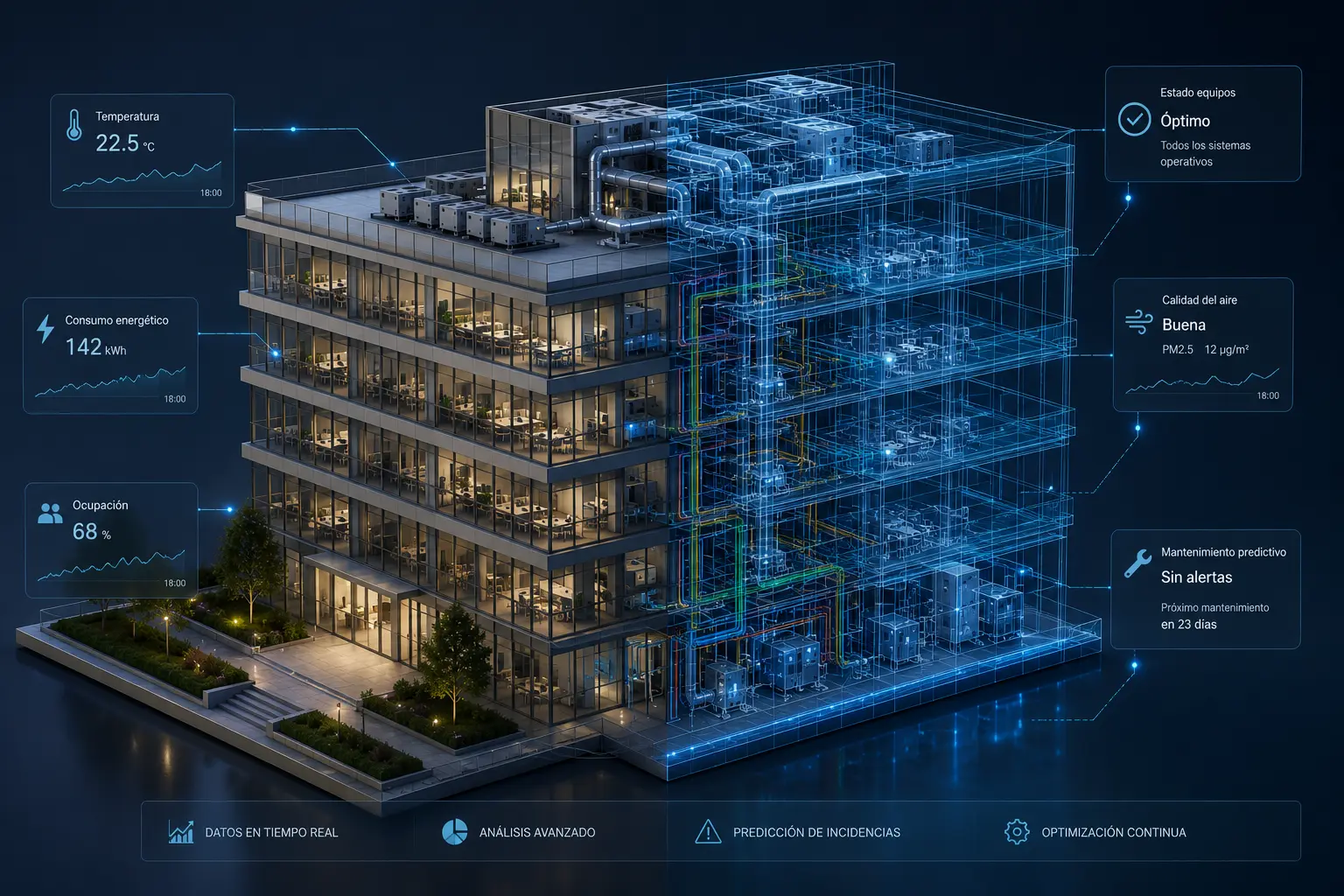
We create an accurate digital replica of the asset based on BIM models, where all technical and geometric information is structured and connected.
We integrate IoT sensors and existing systems to keep the digital twin updated with the real condition of the facility at all times.
We analyze asset performance using historical and real-time data to detect patterns, deviations and improvement opportunities.
We anticipate failures and critical situations before they happen, enabling preventive action and reducing operational risks.
We build MCP for Revit around your skills and processes
MCP (Model Context Protocol) in Revit is an open protocol that acts as a standardised bridge for integrating artificial intelligence models.
Let's talk...
If you need an estimate, have a question, want information about our training programs, or have a suggestion, you can fill out the contact form to send us a message. We are ready to help you.
We are ready to help you.
Email: info@atbim.es