INSTRAM and Revit: Flow between software and companies
Today we come to talk about Instram and Revit. And for this we want to show you one of the largest jobs and projects we are working on lately. It is about carrying out a civil works project with an extension of 142 kilometers. A project whose objective is to make an improvement in the existing pavement, create new connection points, generate new double track sections and place new signage and sanitation systems.
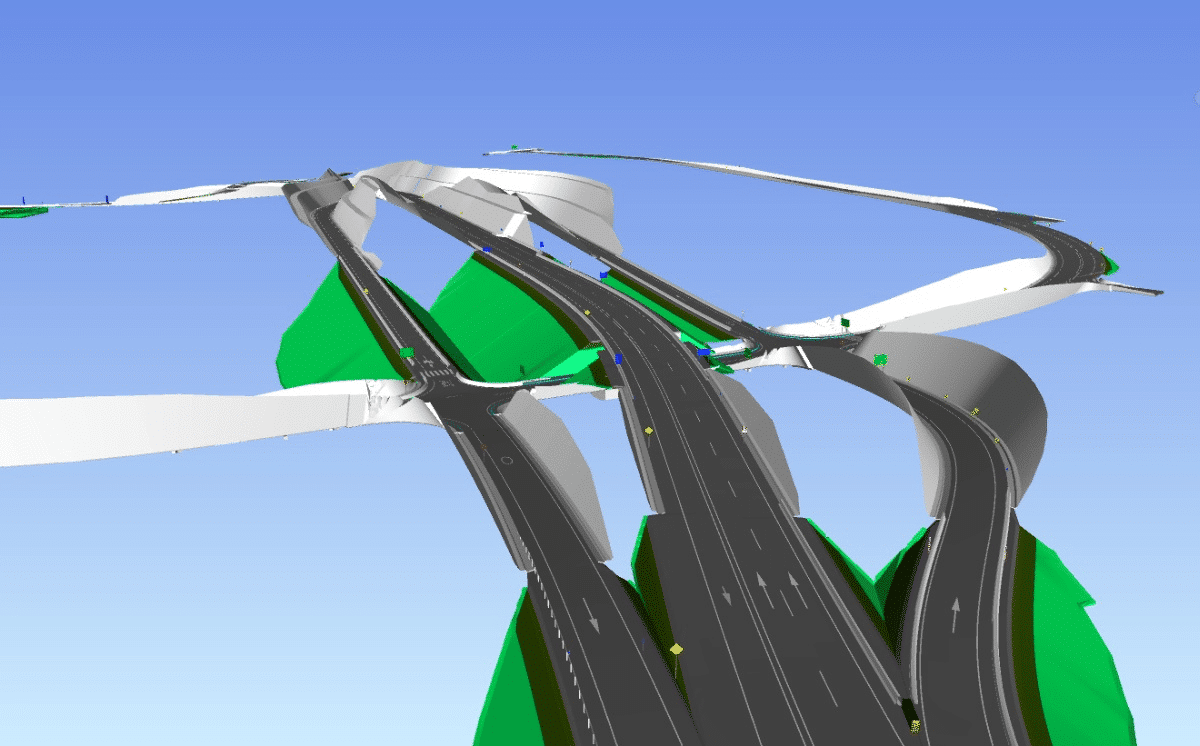
Image of one of the modeled sectors
Our work has mainly been focused on carrying out new sanitation, new signage and carrying out review audits of different types of model. For which we have used the Revit and Power Bi software.
SANITATION
The fundamental task in this discipline has been focused on the realization of different ODT (Transversal Drainage Works).
To do this, using Revit, different parametric families have been created, which have been inserted into the models of the different existing ODTs for subsequent coordination in a federated model with the rest of the disciplines that make up civil works.
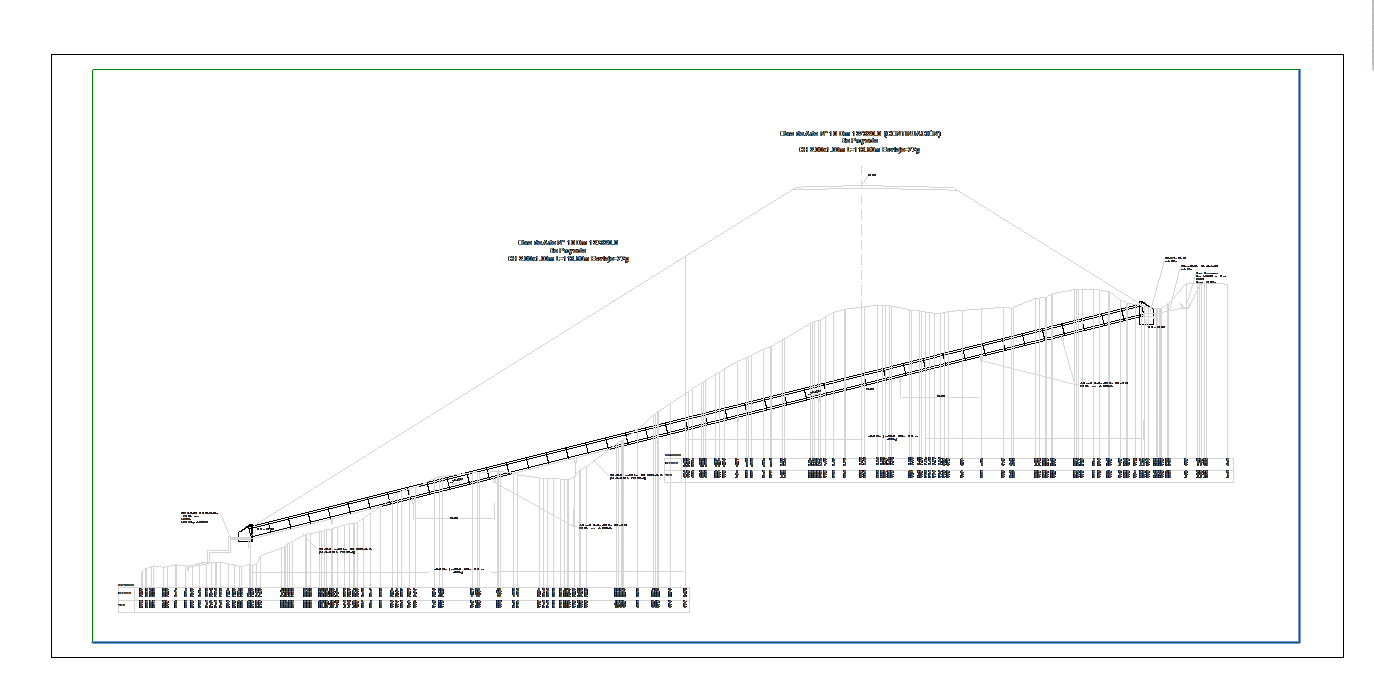
Cross drainage work placed in the project
ROAD SAFETY
This discipline has turned out to be the one in which we have invested the most time. In this discipline we have created different Revit families for each of the signs necessary to place.
In them, we have created a series of parameters required by our client that will allow, in the future, a better adaptation to the project's surface, which is constantly updated.
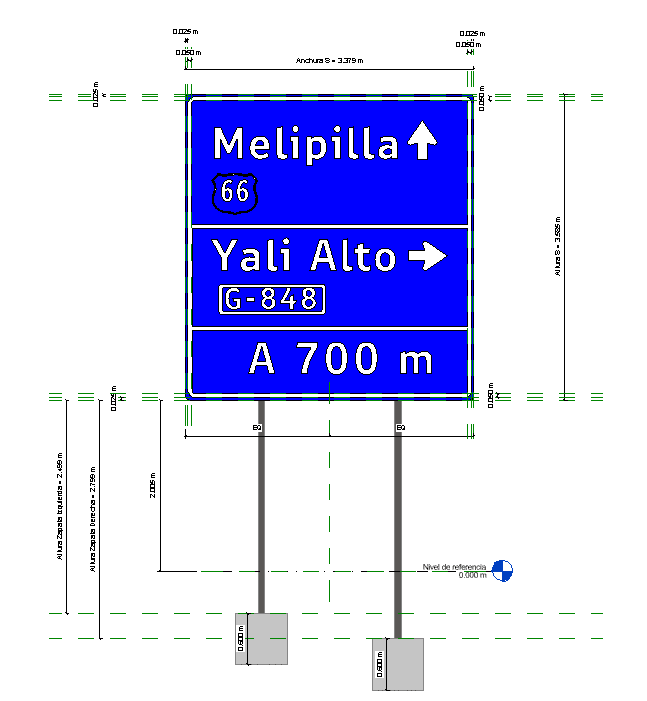
Signal family with required parameters
Once the different families were created, the fundamental task was to place these signs on the road surface and barriers of the project. Created with Instram, in accordance with the required road regulations and using the parameters created previously.
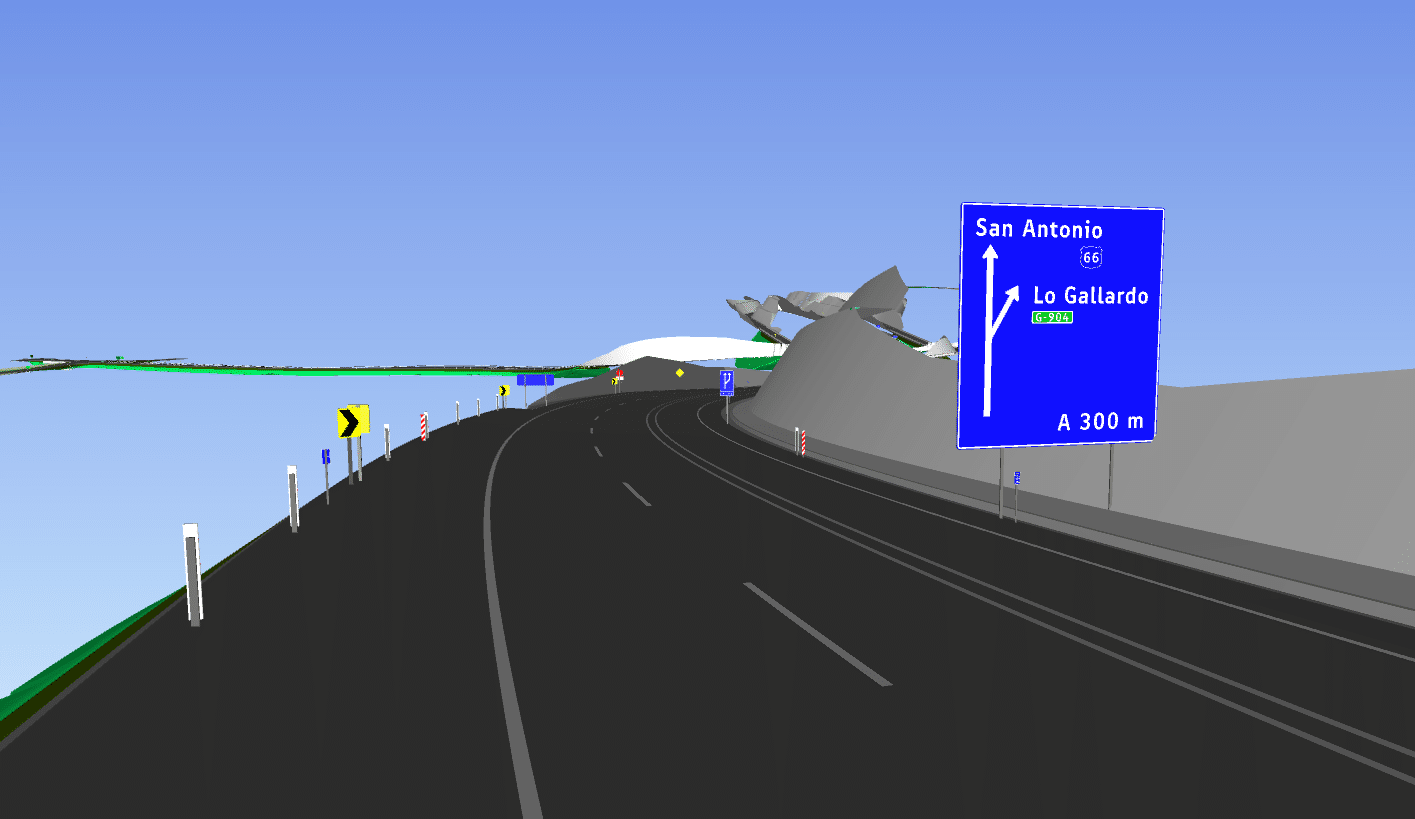
Different families of signs placed in geometric design
AUDIT
This last point is the most interesting section of this post about Instram and Revit. Our client needed to review a series of models that came to him from other external designers. To do this, he used an Excel table in which he made a checklist to verify that his requirements were satisfied.
Our proposal consisted of carrying out an audit through the Power Bi dashboard. The purpose was to obtain a global vision and check the current viability of the different models in a more visual way.
In the same way, this audit allowed us to compare the different models to be reviewed together. And also, do it automatically without it being necessary to review each of the different sections manually.
Finally, we also ensure the verification of each and every one of the parameters presented by the project, ensuring a detailed review of them.
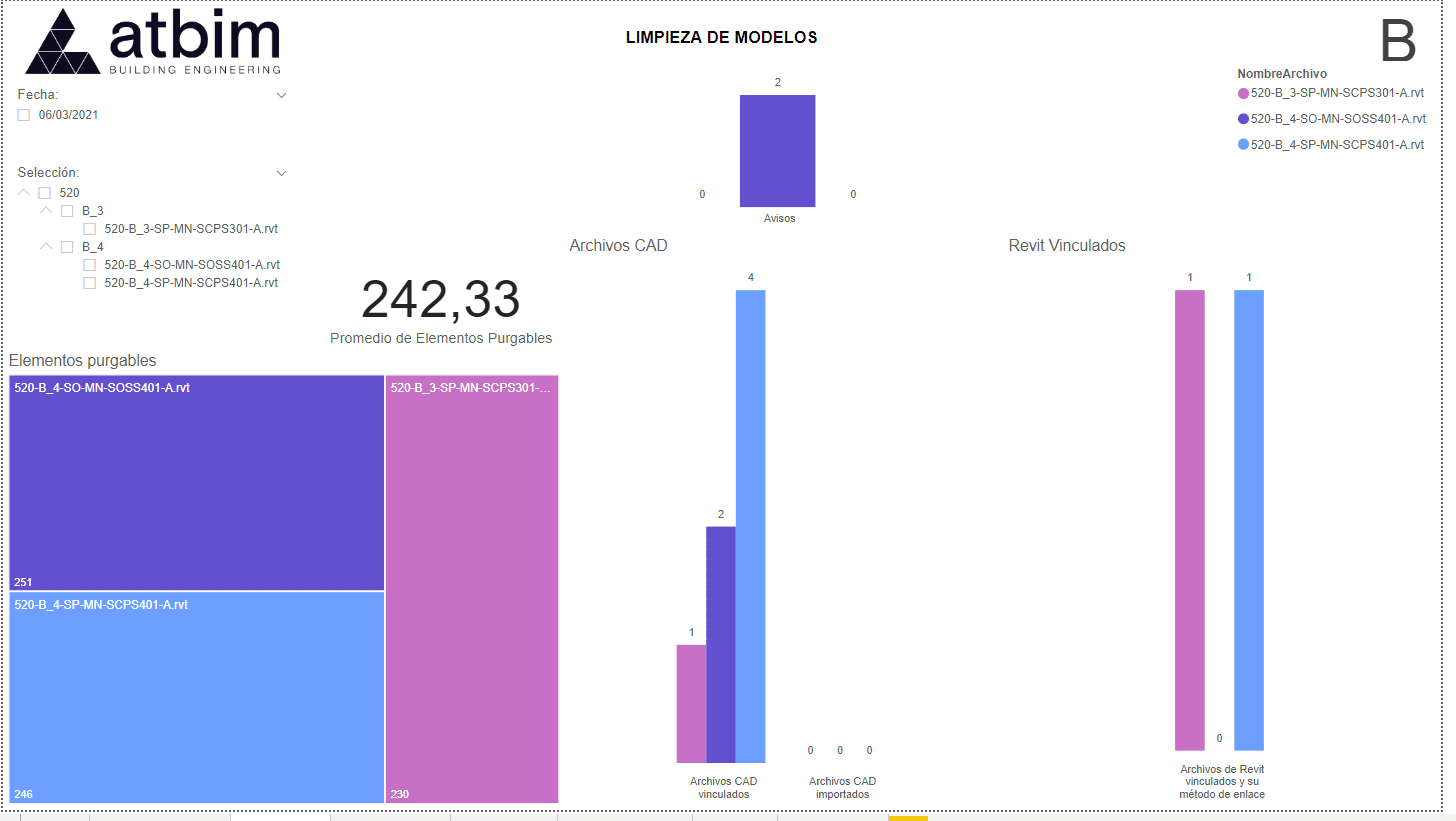
Model audit panel made with PowerBi
CONCLUSION
As a consequence of the work being carried out, two clear conclusions are established.
The first lies in the power of working in BIM. Working in this way has allowed us, first of all, to understand the environment and the project for all the specialists who work on it without requiring a large amount of information in graphic detail.
This work in BIM has also allowed us to provide the model with a large amount of information that will later be very useful during the development of the work, such as measurements. Likewise, it also allows us to anticipate future problems that may appear on site thanks to this prior digital construction.
The second conclusion allows us to value the power of programming and automation. These have allowed us to carry out a detailed and detailed audit of each of the models to be analyzed, ensuring that none of the elements are left unreviewed.
For more information you can contact us at info@atbim.es