Do you render with Revit? Try these alternatives, Updated for 2022
There is no doubt that Revit is a revolution in the offices of architects and engineers, those who try it enough become addicted to the comfort that BIM provides and enters in the first instance through the eyes by transforming the entire two-dimensional workflow from the old school to a new three-dimensional world where you can see your project grow and obtain a lot of "manufacturing" information when budgeting, planning and analyzing the model
Autodesk has been very successful in including a ray tracing rendering engine in Revit, allowing us to obtain very precise visualizations, however, achieving photorealistic results in certain circumstances can be very tedious or simply impossible: Revit is designed to bring a rendering engine accessible to the average user. but once you start taking a render seriously you will frequently have to do tasks such as mapping materials (Placing the 2D jpg file on 3D surfaces in Christian) or adapting luminaires (More oriented to working with MEP than to computer graphics), making do with a fairly limited daylight system or the inability to efficiently use 3D objects with a high level of detail without using RPCs, overloading the project and preventing us from moving fluidly through the viewport. Furthermore, if the scene is large or complex it will probably result in eternal render times.
I'm not saying that good results cannot be obtained with Revit's default rendering engine, under certain circumstances you can obtain very good results. but if you want the best results always, you should leave Revit only for BIM and find another method to render. And what are those alternatives?
Vray for Revit
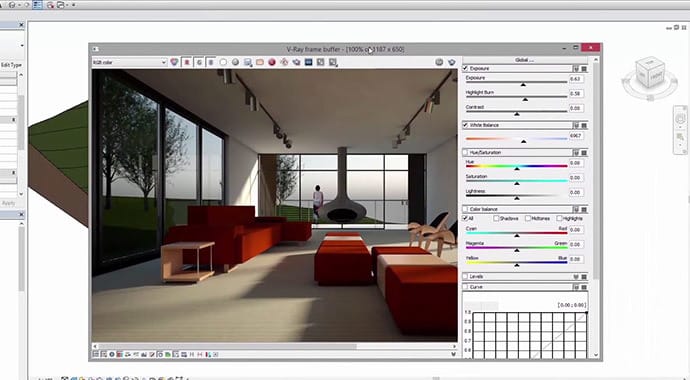
After endless months in the beta phase, the guys from Chaosgroup have recently published the commercial version of Vray for Revit that greatly improves the quality and rendering times offered by the default engines and even allows you to add the standard vray materials which is amazing because it puts at your disposal a free library of thousands of materials of very high quality as well as a much more realistic lighting system, especially if we use HDRIs. as well as the Vray fur material with which we can make very convincing grass.
News 2019
Vray allows you to work with Vray Proxies, which allow us to place objects throughout the project without overloading the model. These objects will only enter the scene when we have clicked the render button.
##SketchUp
Sketup tends to generate very divided opinions: as a base program it is very simple, however, combined with Vray you can get static images as good as any program on this list, you also get all the benefits of vray for revit, plus the advantage of being able to edit the geometry in a "real" 3D program. A disadvantage is the integration with Revit. For small scenes there is no problem assigning the materials but as soon as the scenes become complex reassigning the materials can be excessive. To solve this, there are plugins like Simlab SketchUp Importer for Revit that will make this task easier for us.

Cinema 4D
Cinema 4D, although unknown in the sector, C4D is an excellent 3D program that has everything, a good Render engine without depending on Vray (which is also available), very good material libraries, sculpture and painting modules that rival [zbrush] itself (http://pixologic.com/), and above all a very accessible user interface that makes the learning curve even though it is very powerful. This makes it widely used by graphic designers and with motion graphics projects. The disadvantage, as with sketch up, you depend on plugins to properly organize the scene materials, in this case it is called Revit to Cinema 4D.
3Ds max
In the past, the undisputed King of 3D for infoarchitecture, it also integrates quite well with Revit and imports lights, cameras and materials. However, 3Ds Max is hard to learn, the interface is very outdated and the years weigh on it despite the fact that in 2017 they gave it a small facelift. The amount of options is overwhelming at first. In addition, some of its most essential functionalities for infoarchitecture depend on third-party plugins and add-ons, which prepares the portfolio.
Its best default rendering engine is Mental Ray (it has some others that are not even worth mentioning) and it achieves high quality results. However, a good part of the third-party plugins require Vray, which has a drawback: it is recommended (although not mandatory) to replace native 3Ds Max materials, lights and cameras with the ones that Vray offers you. There is also Vray RT, which, unlike previous rendering engines, renders through the GPU instead of the CPU.
Another notable advantage of 3Ds Max is that you can synchronize changes with the Revit model quite efficiently, so that you can go back and take advantage of the advantages of Revit in modeling without destroying the geometry changes that you have generated.
News 2019
Since 3Ds Max 2018, Autodesk has introduced a new functionality for visual programming with nodes called Max Creation Graph that would be the equivalent of Dynamo within Revit. One use of this tool in architectural visualization would be the possibility of automating the placement of objects in complex scenes.
Lumion
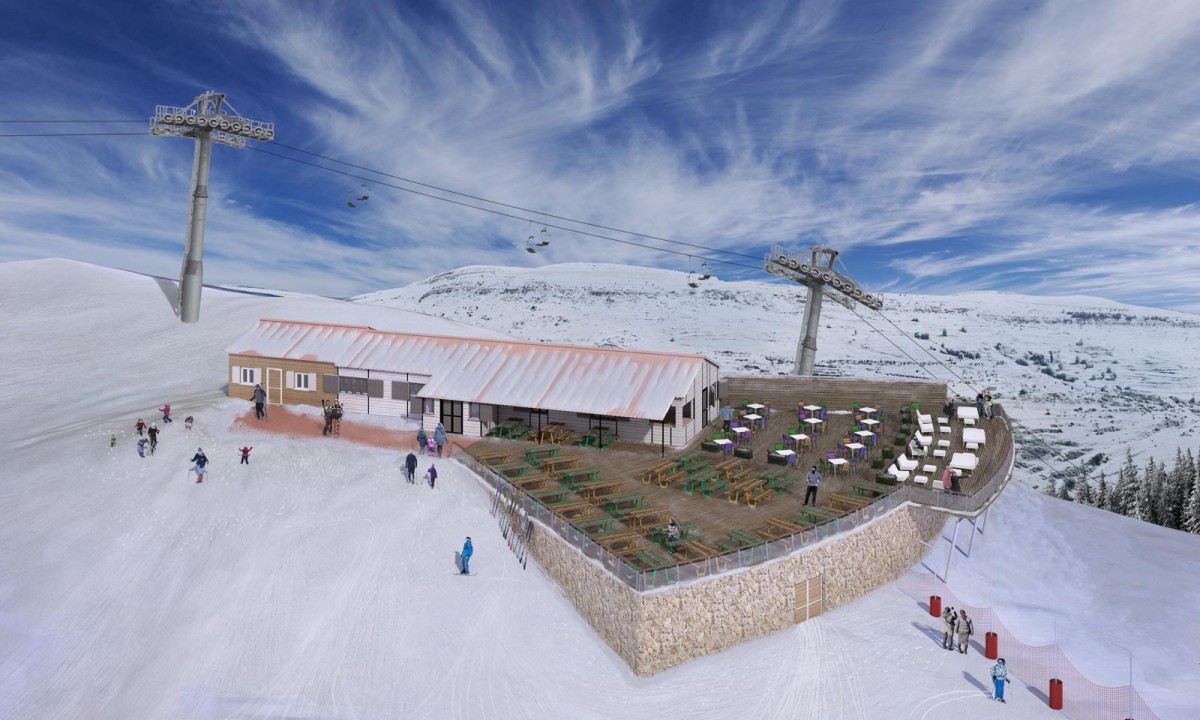
Well known as a real-time rendering engine, it surprises with its simplicity and ease of use as soon as you open it, as simple as exporting the Revit scene and populating it using the library of objects that Lumion offers us, but if we examine the results more closely we will realize the imprecision of the shadows and reflections compared to CPU engines such as Vray and this is a "video game engine" that in certain scenes can achieve results very similar to a ray rendering engine. tracing.
This Render engine stands out when creating animations, being able to render in minutes what would take days or weeks with ray tracing. For many, its big drawback is the hardware requirements since it requires a powerful graphics card.
Another disadvantage is that although it works really well outdoors during the day, with indoor and night scenes it is more difficult to obtain results at the level of a ray tracing rendering engine. It must also be taken into account that there are certain limitations when it comes to populating with objects and, although the basic animation is very easy to obtain, in certain sequences they can become very complicated.
News
Since the incorporation of Lumion 7, significant improvements have been seen in the quality of rendering, obtaining very convincing images that in certain conditions can "almost" be confused with images obtained by raytracing, this is because for production-quality renders, Lumion uses a rendering technique that combines real time with ray tracing. In addition to expanding the already good collection of effects very accessible "photographic" effects without going into complicated configurations as in other methods.
Artlantis
In the same line as Lumión is Artlantis, rendered by GPU but in this case it is not in real time and makes it more accessible in terms of hardware. Good integration with Revit and libraries to boot. Like Lumion and Twinmotion, it is a good option for those who need quick results and cannot invest the time in training in more complex programs.
Unreal engine
Developed by Epic Games (the creators of Fornite), UE is positioned as a benchmark to follow, as many will know, it is a video game engine that with the right hardware can achieve wonders, yet it is less demanding than Lumion (In basic and/or well-optimized scenes) and there are many libraries of so-called unreal assets available with which you can set up your own adventure.
UE can achieve superior results than other realtime programs, although obviously it will always be below the precision of a raytracing rendering engine, when it comes to making virtual tours and interactive experiences that you can program in detail. Furthermore, Unreal is paid with a royalty system that for the purposes of infoarchitecture is "free" as long as you do not package the video game, in which case the price represents 5% of its gross income.
It has disadvantages like everything, the main one is in the workflow to import from Revit which can be intimidating for people who come from other industries such as BIM, particularly in projects of a certain size. Also requiring going through "bridge" programs to do UV Unwrapping, correct certain mappings and fix geometry.
Another problem is in optimization, the majority of 3D models found on the internet are designed for VFX visual effects and not for video games, which results in high polygons and heavy textures, requiring powerful hardware to move certain scenes. This is even more necessary if we are developing infoarchitecture scenes for mobile platforms or for virtual reality where maintaining a minimum frame rate per second is vital to obtain a good user experience.
News 2019
Unreal Engine is one of the programs that is developing the fastest and acquiring new functionalities, some of the most notable in infoarchitecture are:
Since 2018, Epic Games has been developing a new workflow to import assets into Unreal called Datasmith that greatly simplifies the conversion of assets from multiple formats in very few clicks and with "quite a bit" optimization and without going through intermediate programs. And this workflow is not only for Revit, but it also allows you to convert scenes from a multitude of 3D programs as scenes in 3Ds Max with Vray materials, translating these materials to Unreal materials with a "high" success rate.
Recently, Chaos Group, creators of Vray, have completed the Vray beta for Unreal, allowing not only raytracing rendering with this popular rendering engine, but also making it easier for us to convert Vray scenes from other compatible programs, being able to replace Datasmith in certain cases.
With Nvidia's recent launch of consumer graphics cards with raytracing technology, Unreal has been updated to integrate this technology that is capable of rendering in real time (or almost) reflections, refractions, ambient occlusion or global illumination. allowing to improve the physical precision of renders from Unreal
Unity
Together with Unreal Engine, they are currently the two most popular video game engines, also in constant development, both solutions can achieve practically the same thing. There are those who claim that the quality of the scenes is somewhat inferior to Unreal and that it is not as optimized, but it is also considered a more intuitive video game engine for the developer than Unreal.
News 2019
Unity has announced the beta of Unity Reflect, a suite that, more than serving as a visualization solution, aims to be a coordination and communication tool between construction agents.
New 2019: Blender 2.8
Despite being called "version 2.8", Blender has received a very important renovation in its interface that has now become much more intuitive as well as an update to Eevee, Blender's native real-time rendering engine that achieves very convincing results quite easily without leaving a free, very powerful and professional all-in-one 3D suite with which more and more films are being produced.
Blender is supported by a large community and has a large amount of documentation and add-ons and complements to facilitate practically any task
New in 2019: free Twinmotion
Although Twinmotion has been on the market for years, with the recent acquisition of it by Epic Games it has been decided to offer it for free, making it a very interesting option: It is a real-time rendering software created with Unreal Engine, but, unlike this, it stands out for the ease of rendering scenes and a remarkable library of 3D objects and materials ready to use, directly rivaling Lumion in relation to time invested / results obtained and has the added bonus that at the moment Lumion does not have the possibility of navigating the model with virtual reality glasses as well as "packaging" the scene in an executable file and creating a "video game" of the project in very few clicks, although this will be poorly configurable and quite heavy compared to a scene optimized directly in Unreal Engine.
Conclusion
At the moment, there is no perfect solution to work with our infographics, but once you know one, it is easier to jump to another, the best to start are usually Lumion or Twinmotion type solutions since they allow you to obtain very attractive results in a few hours while learning basic concepts about visualization that will serve as a basis for more advanced programs and more combinations of workflows,
And you? Do you know another better method to export from Revit? What is your favorite workflow when you have to make infographics?