BIM management for the promotion of industrialized homes
How to approach the organization of this type of project, in which there are usually several blocks and numerous homes?
How do we treat the information associated with the elements?
What processes make coordination and management less complex and laborious?
When we face a project of these characteristics, the first thing is to determine the phase that we are going to develop; The approach could be different if it is a basic project, an execution project or if it is As Built modeling, for example.
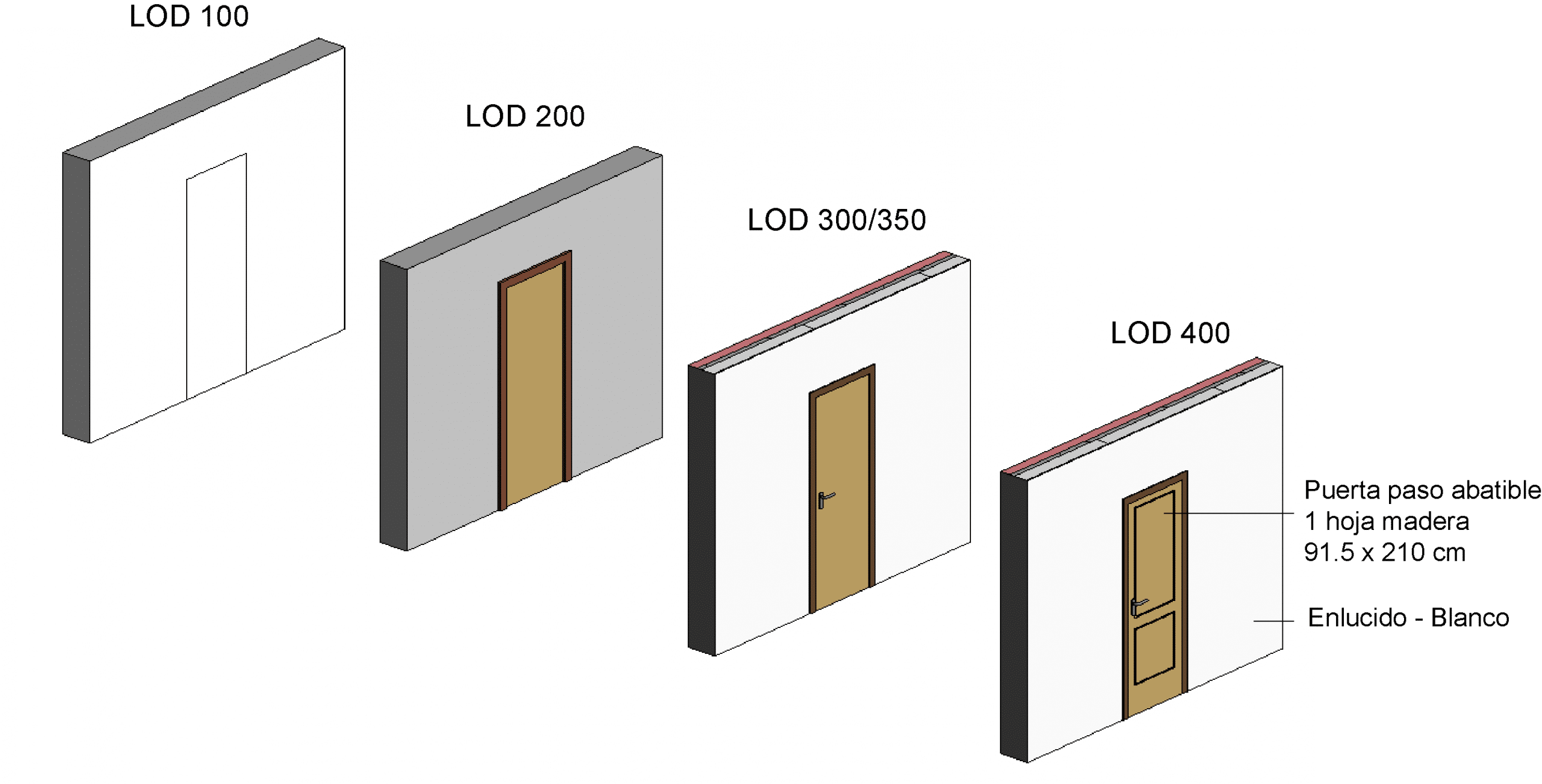
_Examples of level of detail "LOD" BIM_Forum.org
Another important point before starting BIM modeling is to be clear about the LOD/LOI (Level of development or definition of the elements and the Level of information associated with them) established for the project. This must be specified in the BEP (BIM Execution Plan, or BIM Execution Plan). Generally the LOD/LOI is directly linked to the project phase and varies depending on it, being one with a lower definition for a basic project (for example LOD 200) and a higher one for an execution project, where a more specific definition of the elements is necessary (for example LOD 300).
The next step would be to determine the type of construction. In this case study it is industrialized construction, where different elements are prefabricated and assembled on site (homes, facades...).
Last but not least, it is essential to know the number of homes in the project, their typology and repetition in the different blocks of the development. In short, study and analyze the project before modeling a wall.
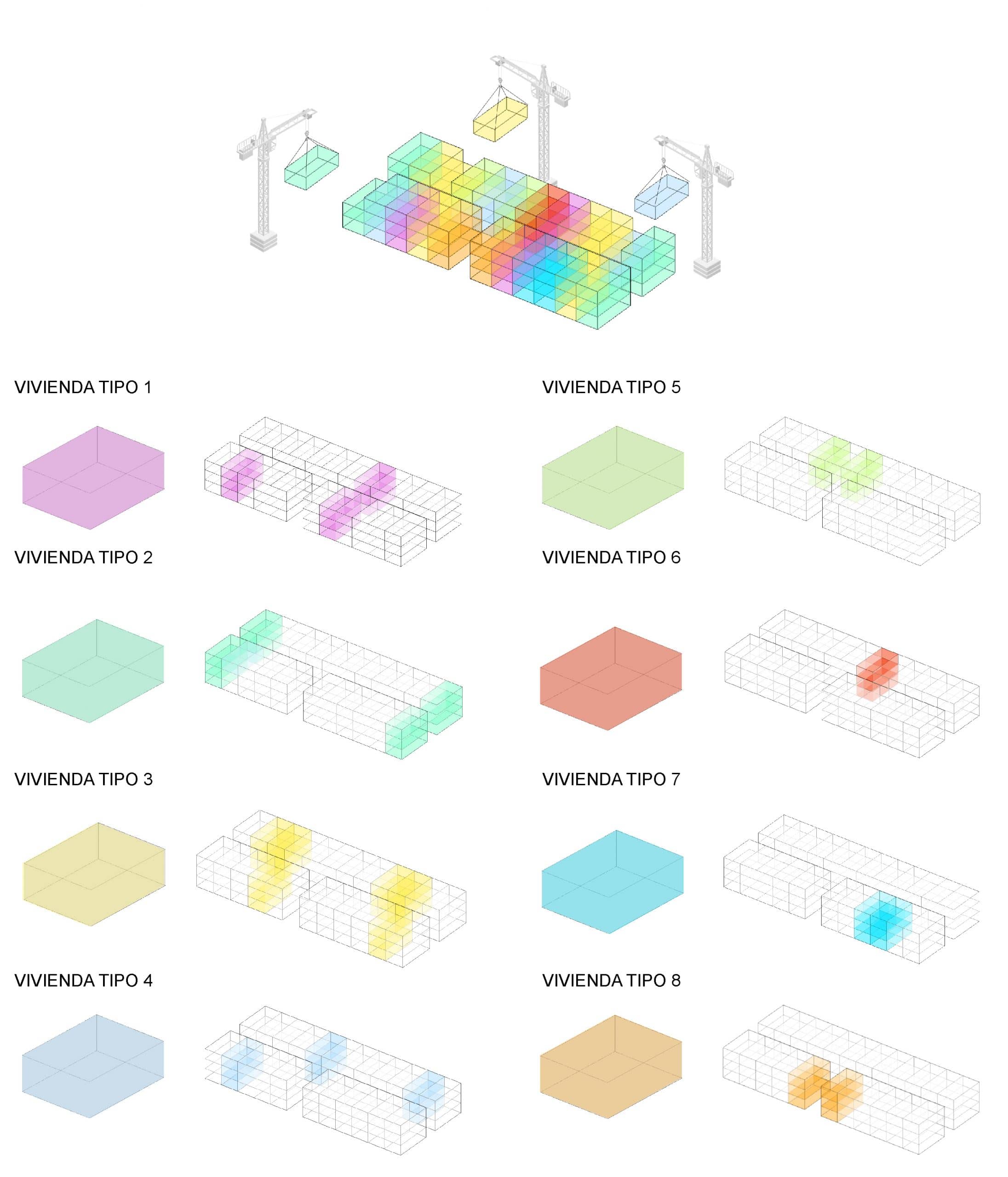
Position scheme and typology of housing
Project organization in BIM
Once we have defined the previous points, which refer to the starting information of the project, we can begin the approach to the organization and structure that the project will carry in BIM: taxonomy and number of files, division of models (by phase, by block, discipline...) etc.
Normally, in this type of residential and industrialized projects we will find several housing blocks, possibly with different phases of execution, but with the same housing typologies.
One way to approach it is by trying to create a structure that allows interoperability and effective coordination between the models, in such a way that this division makes our work easier in the future.
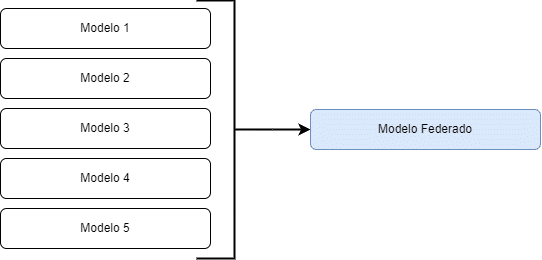
Initial approach to organizing models
We have to keep in mind that, although a priori it may seem more comfortable to have a common file where to model several or all the housing blocks, this can be bad practice. Since too many elements at a high LOD could lead to a model with an excessive size, which ultimately makes it difficult to handle, resulting in long waiting times to open the file, spaces of time lost in loading views, files... etc.
In this post we will see an example of BIM management of an Execution Project that houses an urbanization space and common areas, and 4 practically identical blocks that share housing typologies.
Furthermore, these homes are prefabricated, so in this case the use of model groups as links is proposed as a specific workflow. Yes, you heard right, we will use the much hated Revit groups. This will reduce modeling hours and help in the management and control of the typologies placed in the different blocks.
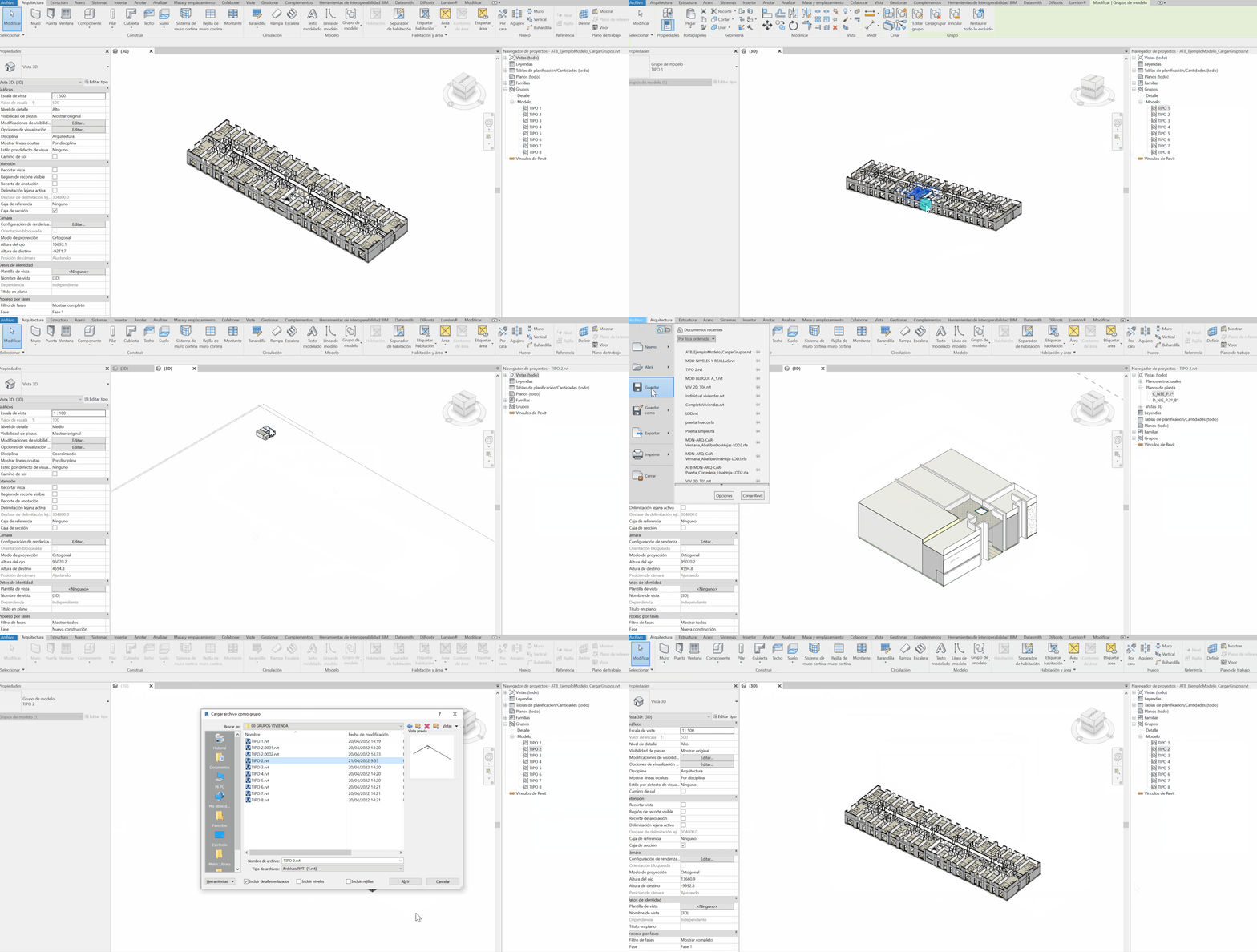
Workflow with model groups as links
File Taxonomy
It is time to consider the order and number of files into which the project will be divided. It is important to do a prior study to define a clear and thoughtful structure as it can save us time in the future.
Recommendation: When defining the models, it is advisable to have a federated file where all the models that make up the project are linked; In this way, we will have a coordination file that gives us a joint image of the project.
It is a common and advisable practice to use the federated model to generate the dossier of plans associated with the project. It is a habit that not only avoids adding extra weight to individual files, but also allows greater control of the sheet of plans in a single model. Furthermore, since it is a file made up only of links, we can generate a greater number of plans without excessively loading the model.
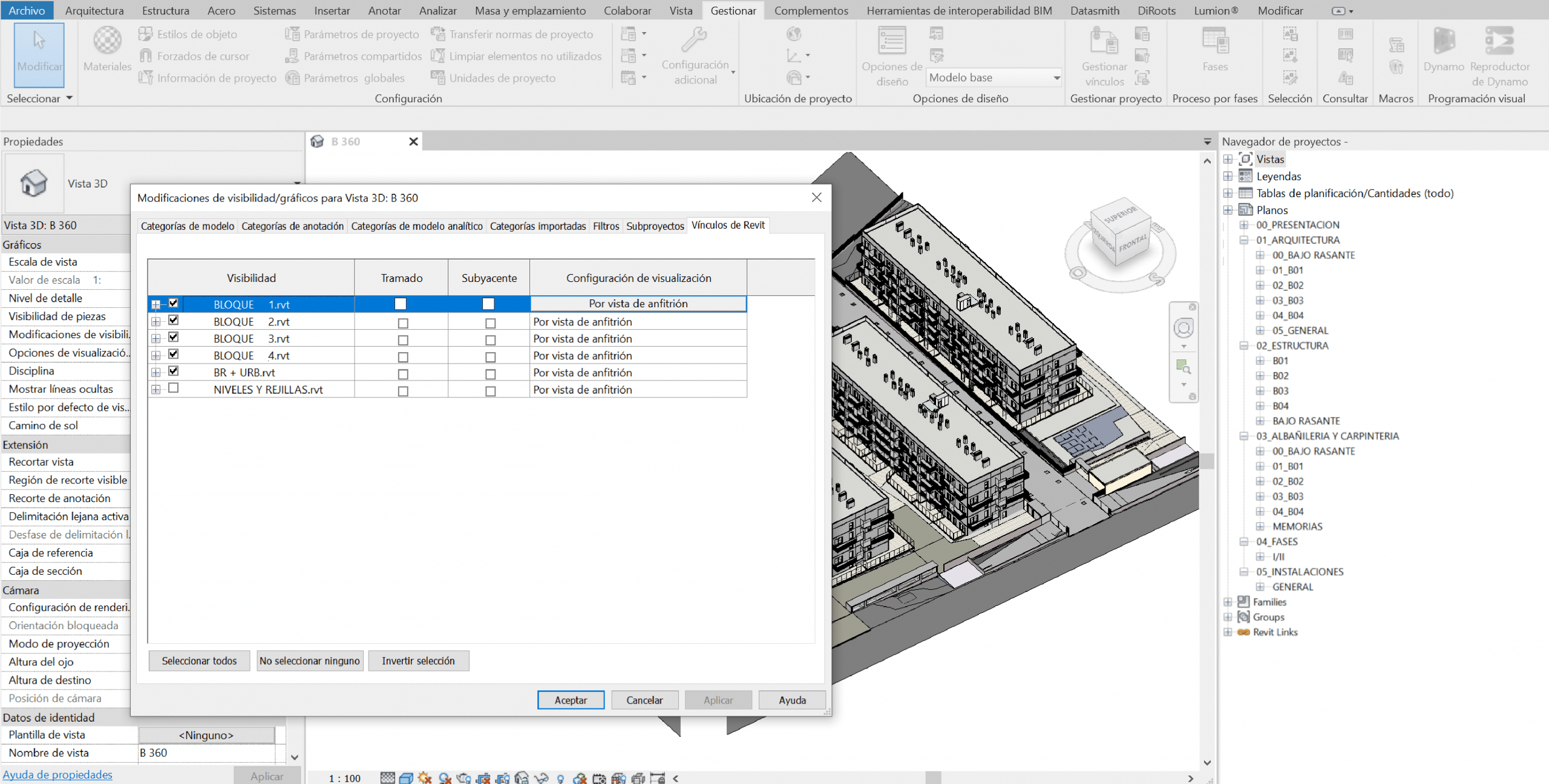
Federated model for coordination and dossier of plans
In this case, the division has been made by housing blocks, so we will have 4 individual models that will share typologies. But they will have variations between them in other elements such as roofs, staircase cores, portals. Which will make model management something special for this specific case. We will also have another model for urbanization and below ground level.
Therefore, the final number of files that we will have will total 7:
- Federated Model (union of all models)
- Levels and Grids Model (from which we will control the project levels)
- Below Ground and Urbanization Model (this is traditional construction)
- Block 1 Model (industrialized)
- Block 2 Model (industrialized)
- Block 3 Model (industrialized)
- Block 4 Model (industrialized)
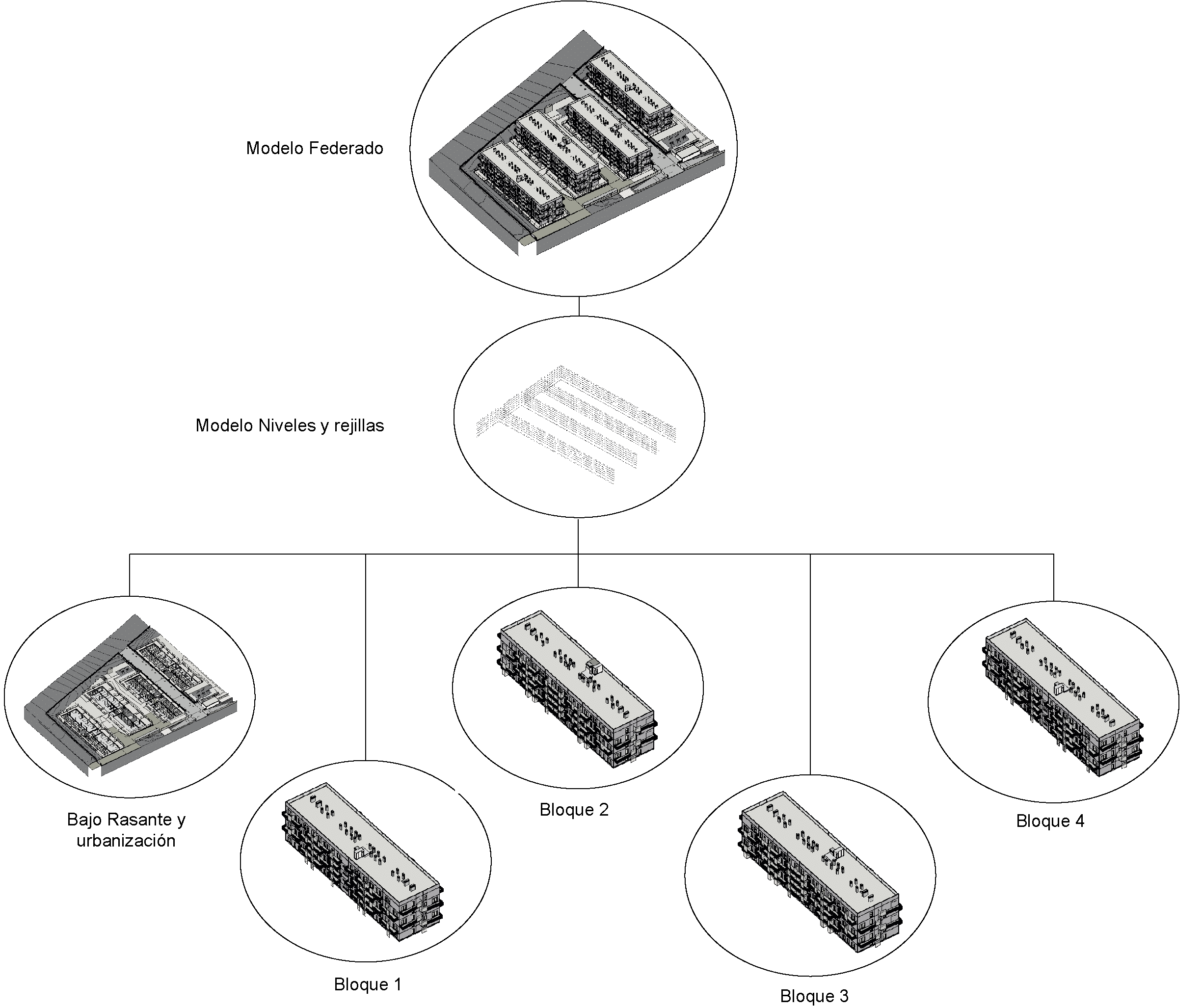
Model number and interoperability scheme
Once the main partition is established, it is best to divide the individual files by discipline based on the complexity they have, for example, architecture and structure in a file (if it is not a complex structure, it could not be separated in a specific file), and the facilities, ALWAYS, on the other hand.
Having one or more installation files will depend, once again, on the complexity and number of installations defined in the project; To make these decisions we will always take into account the weight that the files can reach, since it will be decisive for their correct handling.
Once the organization and taxonomy of the files have been conceptually established, it is time to begin the coordination between them: creation of the level and grid file, positioning in coordinates and other particularities that we will talk about in the next post.
If you have any questions or contributions, do not hesitate to contact us: info@atbim.es
By Julia Manero, BIM Coordinator at ATBIM.